
How to Translate a POT File into Multiple Languages (Step-by-Step Guide)
Translating a POT file into multiple languages is a common task for developers, WordPress users, and product teams building multilingual software. While the concept is simple, many projects run into problems because the process is misunderstood or handled with the wrong tools.
This guide walks you through the correct way to translate a POT file into multiple languages, explains common mistakes, and shows how to do it safely without breaking translations.
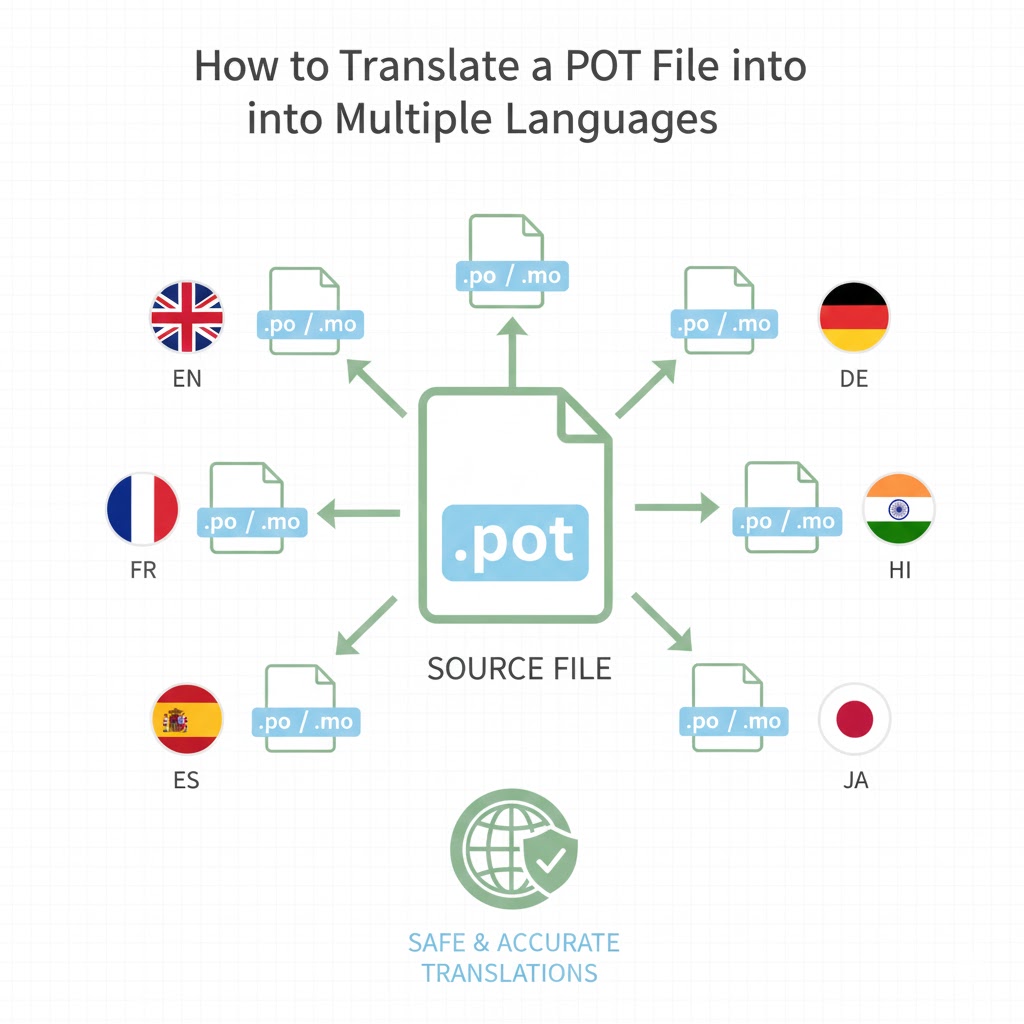
What a POT File Is and Why It Comes First
A POT file is a template that contains all translatable strings extracted from an application. It does not include any translations. Instead, it acts as a reference point for every language you want to support.
Every translation workflow starts with a POT file. If the POT file is incomplete or outdated, all translations built from it will also be incomplete.
Before translating, always make sure:
- The POT file reflects the latest version of your application
- All user-facing strings are included
- There are no duplicate or unused entries
Step 1: Create a PO File for Each Language
To translate a POT file, you first create a PO file for each target language.
For example:
fr.pofor Frenchde.pofor Germanes.pofor Spanish
Each PO file is based on the same POT file but stores translations for a specific language.
At this stage, the PO file contains the original text and empty translation fields.
Step 2: Translate Strings Carefully
Translation is not just replacing words. Each string may contain:
- Placeholders such as
%sor%d - Variables wrapped in braces
- HTML fragments
These elements must remain unchanged.
Example: msgid "Welcome, %s" msgstr ""
The translated string must keep %s exactly as it is. Removing or altering it can cause errors or broken layouts.
This is one of the most common mistakes when translations are done using general-purpose translation tools.
Step 3: Repeat for Every Language
Each language needs its own PO file. The process is repeated for every language you want to support.
While the POT file stays the same, each PO file grows independently as translations are added.
If a new string is introduced later, the POT file is updated and changes are merged into existing PO files. This keeps translations in sync without starting over.
Step 4: Compile PO Files into MO Files
Applications do not use PO files directly. They require compiled MO files.
Once translation is complete:
- Each PO file is compiled into an MO file
- The MO file is placed in the correct language directory
- The application loads the MO file at runtime
If translations are not showing, missing or outdated MO files are often the cause.
Common Mistakes When Translating POT Files
Many issues come from avoidable mistakes:
- Editing PO files in word processors
- Breaking placeholders inside strings
- Forgetting to regenerate MO files
- Translating strings without context
- Using raw machine translation without validation
These errors can lead to missing text, incorrect formatting, or application crashes.
Translating POT Files in WordPress
In WordPress, the workflow is the same but more visible.
- Themes and plugins include POT files
- Site owners translate them into PO files
- WordPress loads MO files automatically based on the site language
Because WordPress relies heavily on this system, even small translation errors can affect the user experience across the entire site.
Why Using the Right Tool Matters
Manually translating POT files becomes difficult as projects grow. Large files, repeated strings, and multiple languages increase the risk of errors.
A proper translation tool helps by:
- Protecting placeholders automatically
- Validating file structure
- Reusing translations across projects
- Generating MO files correctly
This reduces both time spent and long-term maintenance costs.
Final Thoughts
Translating a POT file into multiple languages is a structured process, not a guessing game.
When done correctly:
- Translations stay consistent
- Updates are easy to manage
- Applications scale smoothly to new languages
Whether you are working on a WordPress site or a custom application, following this workflow ensures reliable and maintainable multilingual support.