
How to Get a .mo File from a POT File
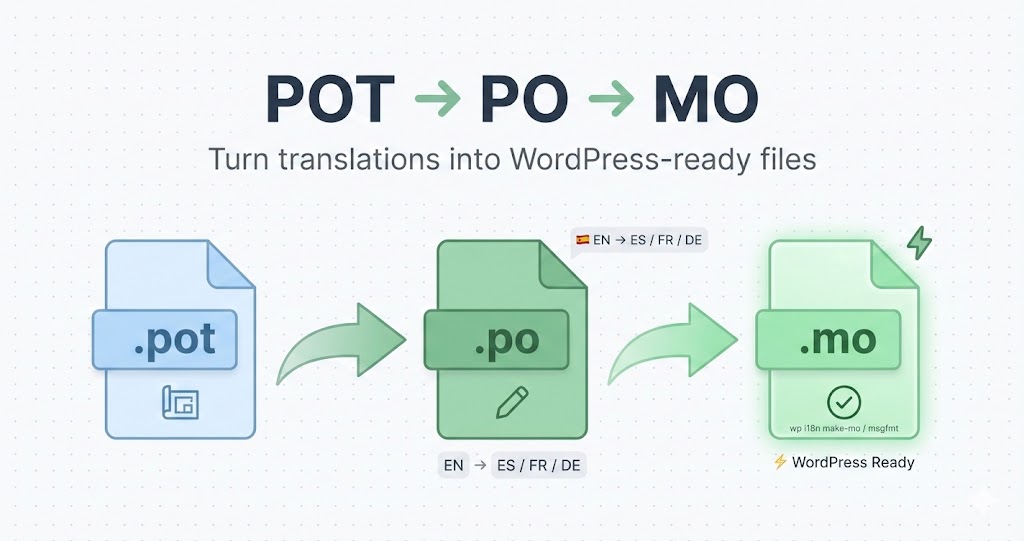
You've got a POT file (Portable Object Template) from your WordPress theme or plugin, and you need a working MO file (Machine Object) to actually display translations on your site. But how do you get from POT to MO?
Let me walk you through both the traditional (manual) way and the modern (automated) way using POForge.
Understanding the File Chain: POT → PO → MO
First, let's clarify something important: You can't directly convert a POT file to an MO file. There's a middle step.
Here's the correct workflow:
- POT (Portable Object Template): The template with untranslated strings
- PO (Portable Object): The translated version (created from POT)
- MO (Machine Object): The compiled binary WordPress uses (created from PO)
So the full chain is:
POT → PO → MO
Why Can't You Skip the PO File?
POT files have no translations—just placeholders. You need to add translations first (creating a PO file), then compile that PO file into an MO file.
Think of it like source code and compiled binaries:
- POT = The template
- PO = Your translated source code
- MO = The compiled binary
WordPress can't use POT or PO files for actual translations—only MO files. That's why you need to complete the full chain.
Method 1: The Traditional (Manual) Way
This is how developers have done it for years. It works, but it's tedious.
Step 1: Create a PO File from Your POT File
You need translation software to open the POT file and create a language-specific PO file.
Option A: Use Poedit (Desktop App)
- Download and install Poedit
- Open Poedit
- Click "Create New Translation"
- Select your POT file (e.g.,
my-plugin.pot) - Choose your target language (e.g., French, Spanish, German)
- Poedit creates a new PO file (e.g.,
my-plugin-fr_FR.po)
Option B: Manually Duplicate the POT File
If you're comfortable with text editors:
- Copy your POT file
- Rename it to match your target language:
my-plugin.pot→my-plugin-es_ES.po(for Spanish)my-plugin.pot→my-plugin-de_DE.po(for German)
- Open the PO file in a text editor
- Update the header to reflect the target language
- Fill in all the
msgstrfields with translations
This is extremely time-consuming if you have hundreds or thousands of strings.
Step 2: Translate All the Strings
Now comes the hard part: translating every single string in the PO file.
Each entry looks like this:
#: functions.php:42
msgid "Welcome to our site"
msgstr ""
You need to fill in the msgstr field:
msgstr "Bienvenido a nuestro sitio"
For a plugin with 1,000 strings, this could take days or weeks if you're doing it manually or hiring a human translator.
Step 3: Compile the PO File to an MO File
Once your PO file is fully translated, you need to compile it into an MO file.
Option A: Use Poedit
- Open your PO file in Poedit
- Click "Save"
- Poedit automatically generates the MO file in the same directory
Option B: Use Command-Line Tools
If you're comfortable with the terminal:
msgfmt my-plugin-es_ES.po -o my-plugin-es_ES.mo
This compiles the PO file into an MO file.
Option C: Use WordPress CLI
wp i18n make-mo my-plugin-es_ES.po
WordPress CLI can also compile PO files to MO files.
Step 4: Upload to WordPress
Finally, upload both files to your WordPress site:
my-plugin-es_ES.pomy-plugin-es_ES.mo
Place them in:
wp-content/languages/plugins/
or
wp-content/plugins/my-plugin/languages/
WordPress will automatically load the MO file when a user browses your site in Spanish.
Why the Traditional Method Is Painful
Let's be honest: this workflow is slow, error-prone, and requires multiple tools.
- Manual translation: Slow and expensive
- Command-line tools: Intimidating for non-developers
- Desktop software: Requires installation and updates
- File management: Easy to mess up filenames or directory structure
There has to be a better way.
Method 2: The Modern Way (POForge)
POForge automates the entire POT → PO → MO workflow in minutes.
Here's how it works:
Step 1: Upload Your POT File
- Go to POForge.com
- Sign in (or create a free account)
- Click "Upload POT File"
- Select your POT file
POForge instantly parses the file and shows you the total string count.
Step 2: Choose Your Target Language
Select the language you want to translate to:
- Spanish (es_ES)
- French (fr_FR)
- German (de_DE)
- ...and 130+ more
POForge supports virtually every language WordPress does.
Step 3: Let AI Translate
Click "Start Translation".
POForge's AI:
- Translates all strings in minutes (not days)
- Understands WordPress-specific terminology
- Handles plural forms automatically
- Applies context-aware translation
A plugin with 1,000 strings? Done in 5-10 minutes.
Step 4: Download PO and MO Files
Once translation is complete, click Download.
POForge gives you both files instantly:
my-plugin-es_ES.po(the translated PO file)my-plugin-es_ES.mo(the compiled MO file)
No command-line tools. No desktop software. Just click and download.
Step 5: Upload to WordPress
Drop both files into your WordPress languages/ folder. Done.
Total time: 10-15 minutes
Total manual effort: Maybe 2 minutes
Compare that to days of manual translation or hours of setup with desktop software.
What If You Already Have a PO File?
If you already have a PO file (maybe from a previous translation or a partner), you just need to compile it to an MO file.
Traditional Way:
Use msgfmt or Poedit to compile it.
msgfmt my-plugin-es_ES.po -o my-plugin-es_ES.mo
POForge Way:
- Upload your existing PO file to POForge
- Click Download
- POForge automatically generates the MO file
Even if you already have the PO file, POForge saves you from needing command-line tools.
POT to MO: Side-by-Side Comparison
Let's compare the two methods:
| Step | Traditional Method | POForge Method |
|---|---|---|
| Create PO from POT | Manual setup in Poedit | Automatic |
| Translate strings | Days/weeks (manual or paid translators) | Minutes (AI) |
| Compile to MO | Command-line or Poedit | Automatic |
| Total time | Hours to weeks | 10-15 minutes |
| Cost | Free (DIY) or $100-1000 (translators) | $0-20 (depending on string count) |
| Technical skill needed | Medium-High | None |
POForge doesn't just make it faster—it makes it accessible to anyone, even non-technical users.
Common Questions
Q: Can I go directly from POT to MO without a PO file?
A: No. The PO file is where translations live. The MO file is just a compiled version of the PO file. You need both.
Q: Do I need to keep the PO file after I have the MO file?
A: Yes. If you ever need to update or correct translations, you edit the PO file and re-compile it to MO. The MO file is binary and can't be edited.
Q: Can POForge create an MO file from a POT file in one step?
A: Yes—but only after translation. POForge translates the POT file (creating a PO file internally) and then compiles it to MO. Both files are included in your download.
Q: What if I want to edit the translations before compiling to MO?
A: Upload the PO file to POForge's free editor, make your changes, then download the updated PO and MO files.
Q: Can I use POForge's MO files on WordPress.org?
A: Absolutely. POForge generates standard-compliant MO files that work with any WordPress installation.
Q: What if my POT file is huge (10,000+ strings)?
A: POForge handles large files without issue. The AI processes them in chunks, and you still get your PO and MO files within minutes.
Why WordPress Needs MO Files (Not PO Files)
You might wonder: Why doesn't WordPress just use PO files directly?
Answer: Performance.
- PO files are plain text and easy for humans to read
- MO files are binary and optimized for machines to parse quickly
When WordPress loads a page, it needs to look up translations instantly. Parsing a text-based PO file would slow down every page load. MO files are pre-compiled and optimized for fast lookup.
That's why you need both:
- PO file: For editing and version control
- MO file: For WordPress to actually use
Real-World Example: Plugin Translation Workflow
Let's walk through a full example.
Scenario: You built a WordPress plugin called "Simple Gallery." You have a POT file with 500 translatable strings, and you want to support Spanish and German.
Using POForge:
- Upload POT file (
simple-gallery.pot) - Select Spanish → AI translates 500 strings in 3 minutes
- Download
simple-gallery-es_ES.poandsimple-gallery-es_ES.mo - Repeat for German → Another 3 minutes
- Upload both language files to WordPress
Total time: 10 minutes
Total cost: ~$2-3 (assuming you bought credits)
Using Traditional Method:
- Open POT in Poedit, create
simple-gallery-es_ES.po - Manually translate 500 strings (or hire a translator for $200-500)
- Compile to MO using Poedit or command line
- Repeat for German
Total time: Days (or weeks if waiting for translators)
Total cost: $400-1000+ (if hiring translators)
POForge is faster, cheaper, and easier.
Final Thoughts
Getting an MO file from a POT file used to be a multi-step, multi-tool process:
- Create a PO file
- Translate all the strings
- Compile to MO
POForge collapses this into one simple workflow:
- Upload POT
- Choose language
- Download PO + MO
No command-line tools. No desktop software. No days of manual translation.
Whether you're translating a small theme or a massive plugin with thousands of strings, POForge makes the process fast, affordable, and accessible.
Ready to turn your POT file into a working MO file? Upload it to POForge and get your translation in minutes.